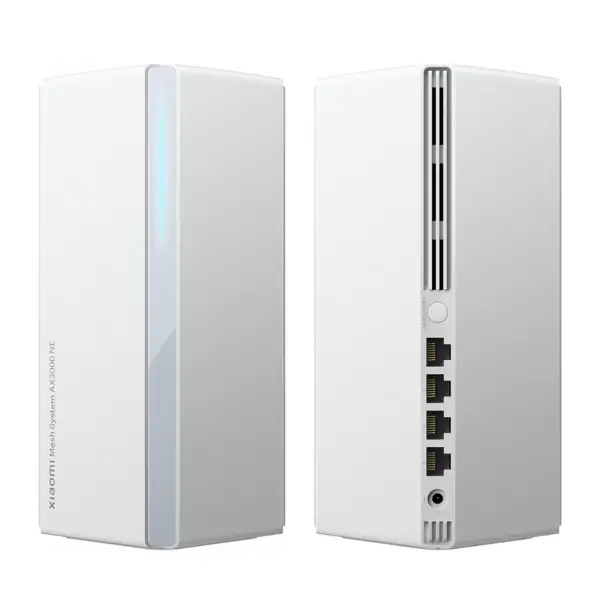
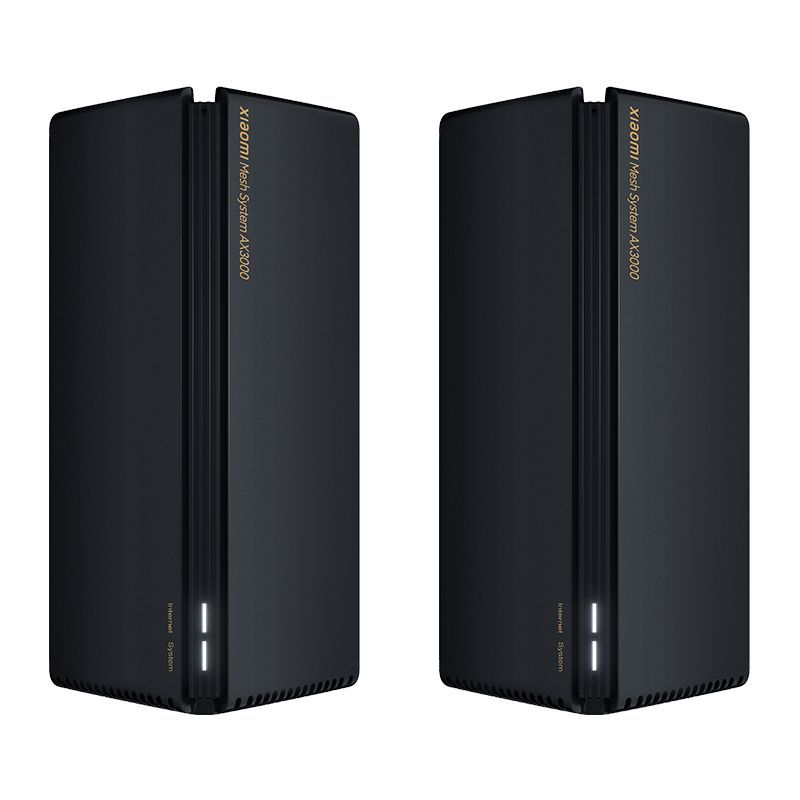
Xiaomi Mesh WiFi System
Ksh 8,990 Ksh 10,000
Xiaomi Mesh WiFi System General Specifications
- Brand: Xiaomi
- Model: Xiaomi Mesh WiFi System
- Price: Ksh 8,990
- Model: Mesh WiFi System AX3000
- Connectivity: WiFi Mesh Networking
- Coverage: Whole Home WiFi Coverage
- Network Management: Mobile App Support
- Compatibility: Smartphones, PCs, Smart TVs, Gaming Consoles, IoT Devices
- Security Features: Network Encryption and Security Protocols
- Roaming Support: Seamless Device Roaming
- Usage: Home, Office, Business
- Color: White, Black
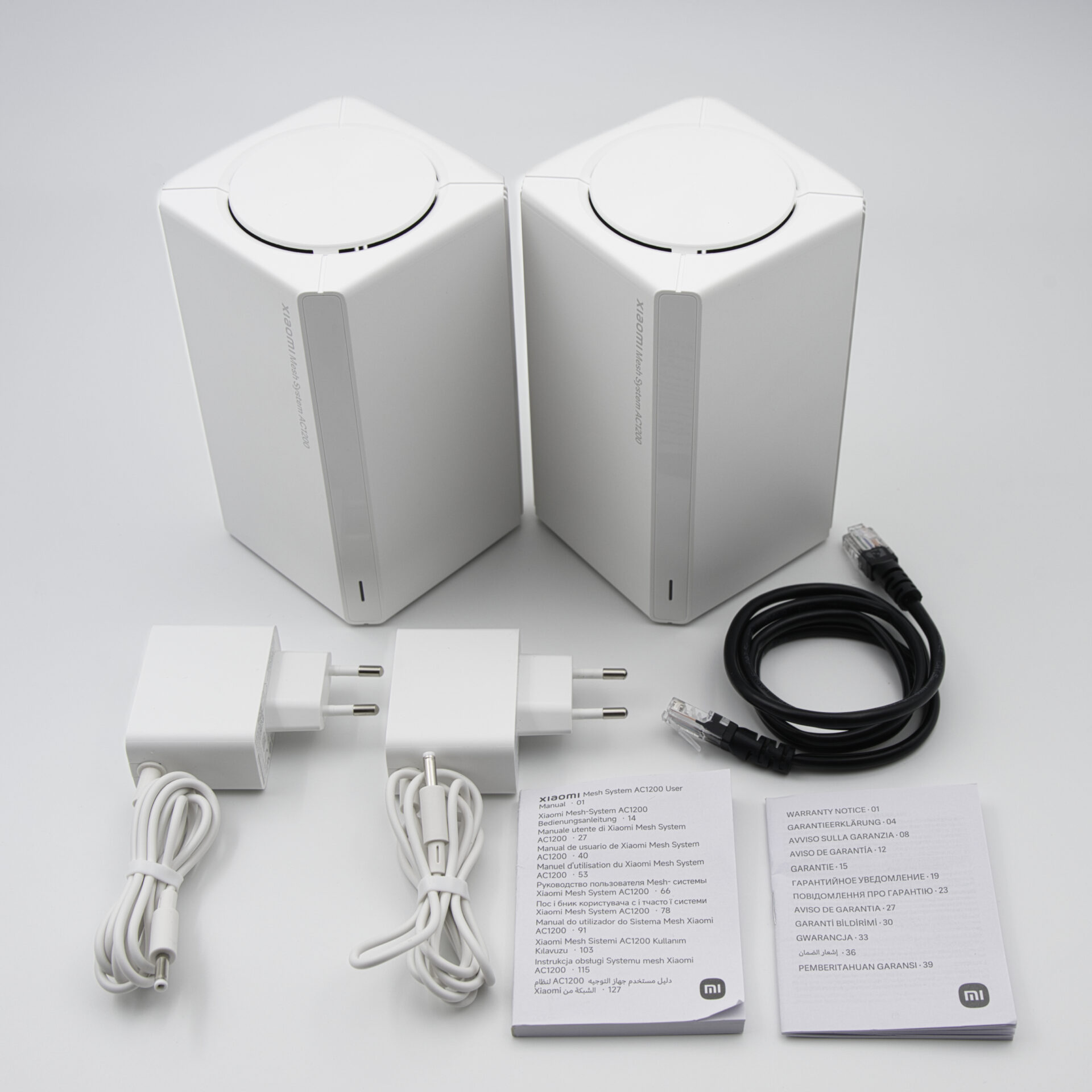
- Package Contents: Xiaomi Mesh WiFi Units, Power Adapters, Ethernet Cable, User Manual
Only 5 Items Left!Don't miss it
Free DeliveryEnter your Postal code for Delivery Availability
Return DeliveryFree 30days Delivery Returns. Details
Xiaomi Mesh WiFi System Details
Design & Build
The Xiaomi Mesh WiFi System features a sleek and minimalist design that blends seamlessly into modern homes and offices. Its compact units can be placed throughout a property to provide consistent wireless coverage.
Performance & Features
The mesh system delivers stable, high-speed WiFi connectivity across multiple rooms with seamless roaming between nodes. It helps eliminate dead zones and improves network coverage for connected devices.
Mesh Network Setup & Configuration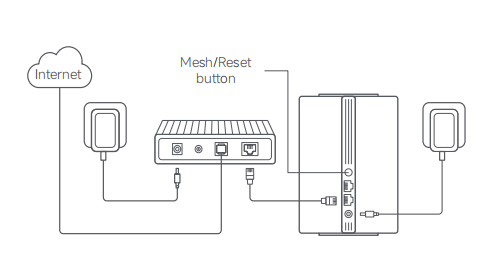
Setting up the Xiaomi Mesh WiFi System is simple using the Xiaomi Home app. Connect the primary mesh unit to your modem using the supplied Ethernet cable, power it on, and complete the initial setup through the app.
To create a mesh network, power on the additional mesh nodes and place them within range of the primary unit. Open the Xiaomi Home app, select Add Mesh Node, and the system will automatically discover and pair the new devices to form a single seamless WiFi network.
How Mesh Networking Works
Unlike traditional WiFi extenders, Xiaomi Mesh creates one unified WiFi network throughout your home or office. Devices automatically connect to the nearest mesh node, ensuring stronger signal strength and uninterrupted connectivity while moving between rooms.
Recommended Placement
- Place the primary node near your modem.
- Position secondary nodes midway between weak signal areas and existing mesh units.
- Avoid placing units inside cabinets or behind large metal objects.
- Keep mesh nodes in open areas for optimal signal transmission.
- Managing the Mesh Network
The Xiaomi Home app allows you to:
- Monitor connected devices.
- View network status and signal strength.
- Create guest WiFi networks.
- Set parental controls.
- Update firmware.
- Optimize mesh performance.
- Manage device access and security settings.
Frequently Asked Questions
1.How many mesh nodes can I add?
The number depends on the Xiaomi Mesh model, but most systems support multiple nodes to extend coverage throughout large homes and offices.
2.Will devices disconnect when moving between rooms?
No. Mesh technology provides seamless roaming, allowing devices to switch between nodes automatically without losing connection.
3.Can I mix different Xiaomi Mesh routers?
Many Xiaomi Mesh products support cross-model mesh networking, provided they are compatible with Xiaomi Mesh technology.
4.Do all mesh units need Ethernet cables?
No. Only the primary unit typically connects to the modem. Additional nodes can connect wirelessly unless you choose a wired backhaul configuration for maximum performance.
5.What is Wired Backhaul?
Wired Backhaul allows mesh nodes to communicate using Ethernet cables instead of WiFi, improving speed, stability, and overall network performance in larger installations.
Pros
- Eliminates WiFi dead zones
- Seamless roaming between mesh nodes
- Stable and reliable wireless connectivity
- Easy setup through mobile app
- Supports multiple connected devices
- Modern and compact design
- Suitable for homes and offices
- Improved coverage compared to a single router